AI Agent — automate conversations and workflows. Now available on Free plan




Introduction
Once an organization decides to use white-label telehealth, a more practical question follows: how customizable is it, really?
Because changing a logo is easy. Designing a system that actually reflects how your clinic operates — that’s the part that matters. Customizing a white-label platform isn’t just about surface-level branding. It’s about deciding how patients move through your digital care experience, how providers interact with information, and how your workflows translate into a virtual environment.
That’s where the real work begins.
Key Takeaways
- Customization depth varies significantly between white-label platforms — the gap between what a demo shows and what is genuinely configurable is where most deployment friction originates.
- Brand ownership covers the domain, app listing, login screen and every message patients receive, and it makes the full patient journey measurable.
- Workflow configuration is where clinical value is created or lost — intake forms, routing logic, and consultation formats should reflect how your organization actually delivers care.
- Different care models require fundamentally different configurations — the settings that work for an urgent care clinic are not the ones that work for a behavioral health practice.
- At scale, customization is less about creativity and more about discipline — governance decisions made early determine whether growth feels controlled or chaotic.
Customization Begins with Clinical Workflow — Not Branding
When most organizations evaluate a white-label telehealth platform, they start with visual questions. Can we use our own logo? Can it run on our domain? Will it appear in the App Store under our name?
Those details matter. They affect patient trust and brand consistency. But they’re only the outer layer.
The deeper value of a white-label platform shows up in how adaptable the operational layer is. Every clinic runs differently — and a rigid system creates friction fast. A mental health provider might need detailed intake questionnaires and recurring scheduling logic. An urgent care clinic may prioritize fast triage and queue-based routing. A multi-location group could require automated provider assignment based on specialty. A subscription-based virtual clinic may need recurring billing built into the care flow.
These aren’t cosmetic differences. They’re structural. A strong platform should allow you to configure appointment logic and routing, intake and consent forms, role-based permissions, escalation pathways, notification rules, and follow-up automation.
The goal isn’t to copy your in-person workflow exactly as it exists today — in fact, that’s often where clinics get stuck. Virtual care works best when workflows are intentionally redesigned for digital delivery, not just transferred online unchanged.
With white-label telehealth, customization takes place within an established technical framework. The security architecture, encryption layer, and core communication infrastructure are already in place; what you shape is how the platform works around your organization’s workflows, integrations, brand, and patient experience. The result is structure underneath with flexibility above.
What You Can Customize — And What You Can’t
One of the first questions clinic owners quietly wrestle with is this: how much of this platform is actually ours?
It’s not a technical question. It’s a control question. There’s a common assumption that white-label telehealth is either completely rigid — or almost indistinguishable from full custom development. The reality sits somewhere in between.
Most white-label platforms are designed in layers. The deeper infrastructure remains stable. The operational and experience layers are where customization happens. Understanding that distinction early prevents disappointment later. You can’t change everything. But you can shape far more than most people expect.
What’s yours to shape
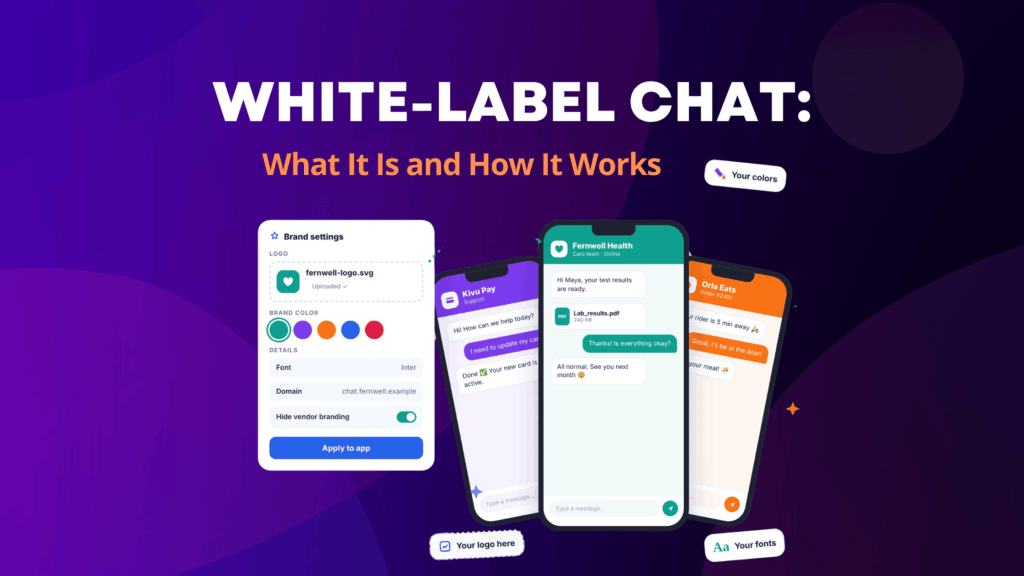
Branding is the obvious starting point — your logo, your domain, your color palette. But the meaningful customization happens beyond visual identity.
You can configure how patients move through your system: what questions are asked before a visit, how appointments are categorized, which providers are eligible for certain visit types, and who receives notifications and when. A behavioral health clinic may need longer intake forms and recurring scheduling logic. An urgent care model may prioritize fast routing and queue management. A multi-location group might build internal permission structures so regional managers see one set of data while clinic leads see another.
Those aren’t cosmetic tweaks. They’re operational decisions. This is where white-label software becomes more than a template — it becomes a structured framework you adapt to fit how your organization actually delivers care. You’re not building the engine. But you are configuring how the engine is used.
What stays fixed
Then there’s the layer you don’t touch. Encryption protocols stay consistent. Video infrastructure remains stable. Audit logging runs in the background. Security architecture is vendor-managed.
Those core components are typically vendor-managed rather than freely customizable — and that’s intentional. If every client altered the core infrastructure, stability would suffer. Compliance would become unpredictable. Performance would vary. White-label telehealth works because the foundation is steady. You shape the experience built on top of it.
If you need to redesign encryption layers or rebuild the communication stack entirely, that’s no longer white label — that’s custom telehealth software development. For a detailed breakdown of where that boundary sits, see White-Label vs Custom Telehealth: Which Is Better?
Branding Patients Actually Notice: Beyond the Logo
Logos and colors are the first things teams change and the least of what patients see. What patients notice is where the service lives, who seems to be talking to them, and whether the experience feels the same each time they return. Those are configuration decisions, and they are far easier to get right at launch than to fix later.
Own the Digital Real Estate
A white-label deployment should put every patient-facing surface under your identity: the domain patients type, the app-store listing they download, the login screen, and the sender name on every email, text and push notification. On marketplace or co-branded portals, part of that relationship belongs to another company. Patients find you through your own marketing, then book, log in, and receive reminders inside someone else’s brand, and recognition and attribution are split between the two.
The difference is structural, not cosmetic. When the domain, the app presence, and the notification layer are yours, every visit reinforces your brand rather than the vendor’s. When you evaluate a white-label telehealth vendor, confirm which of these surfaces you will actually own on the plan you are buying, because some platforms keep their own subdomain or app listing below enterprise tiers.
Speak in One Voice Across Every Touchpoint
Brand perception is built less by a homepage than by dozens of small interactions: appointment reminders, intake confirmations, waiting room messages, follow-up prompts, and chat replies. A third-party platform communicates on behalf of its own brand by default. Unless those messages are configured, patients hear the vendor’s voice at exactly the moments that decide whether they show up, finish the intake form, or rebook.
Set templates, tone, and timing once, with one owner, before launch. Branded messages still follow the same rules as the rest of the platform, so confirm what a reminder may contain about a patient’s care and that every channel sending it is covered by your BAA.
Why Ownership Pays Off: You Can Measure It
When patients book and return on your own domain, standard analytics can follow the whole journey: which campaigns bring first visits, how many patients come back, and where bookings drop off. On a third-party portal, that trail usually stops at the handoff. You can measure the actual lifetime value of a digital acquisition channel — not just its click-through rate. Over a year of visits, small advantages in recognition, retention, and better decisions add up.
Customizing for Different Care Models
One of the easiest mistakes to make when implementing a white-label platform is assuming that every clinic should configure it the same way. They shouldn’t.
The way you customize a platform depends heavily on how you deliver care — and how you intend to grow. Different care models create different pressures on workflow, intake design, provider visibility, and patient expectations.
Mental health and behavioral care
Behavioral health practices often rely heavily on intake structure and continuity. Sessions are longer. Relationships are ongoing. Documentation requirements can be detailed. Recurring scheduling is common.
Customization in this setting typically focuses on refining intake questionnaires so they feel supportive rather than overwhelming, creating recurring appointment logic that reduces administrative back-and-forth, and designing provider dashboards that prioritize longitudinal patient history rather than rapid triage. The goal isn’t speed — it’s continuity and trust. A platform configured for behavioral health should reflect that slower, relationship-centered pace.
For a detailed guide to what behavioral health providers specifically need from a white-label platform — and how configuration requirements differ from other specialties — see Behavioral Health Telehealth: Choosing the Right White-Label Platform.
Urgent care and on-demand models
Urgent care is almost the inverse. Patients may arrive without prior context. Providers need quick visibility into symptoms. Triage decisions need to happen fast.
Customization here typically involves queue-based patient routing, condition-based provider assignment, streamlined intake flows that collect only essential information upfront, and notification systems that reduce waiting time anxiety. In this environment, the platform needs to feel responsive and direct. Overly complex workflows create friction. The same platform can support both behavioral health and urgent care models — but the configuration will look very different.
Multi-specialty or multi-location groups
As organizations grow, customization shifts from individual workflow design to governance. Who can see what? Which clinics follow centralized templates? Where does flexibility live?
A multi-location healthcare group may want standardized intake forms across all branches but localized provider scheduling rules. Regional managers may require reporting visibility that individual clinic administrators do not. In these cases, customization becomes less about branding and more about structure. The platform should allow centralized oversight without eliminating local control — and that balance becomes especially important as patient volume increases.
Subscription-based and virtual-first models
Virtual-first clinics, concierge models, and subscription-based services introduce another layer: recurring billing, automated follow-ups, and membership access tiers. Customization here often focuses on integrating care delivery with patient engagement and retention — prioritizing asynchronous messaging, structured follow-up prompts, or simplified rebooking pathways.
What becomes clear across all these models is that although the platform stays the same at its core, the experience does not. Customization is less about adding features and more about aligning digital processes with how your organization thinks about care. When that alignment is intentional, white-label telehealth feels seamless. When it’s rushed, it feels generic.
Scaling Customization Across Locations
Customization feels manageable when you’re launching one clinic. You sit in a room, talk through workflows, tweak intake forms, adjust permissions, and move forward.
But then you open a second location — and it’s no longer just about workflow. It’s about consistency.
When you’re running multiple sites, customization becomes less about “what works for us?” and more about “what works for all of us?” That shift is subtle. But it changes everything. A single-location clinic can experiment. If something doesn’t work, you adjust it next week. A multi-location organization doesn’t have that luxury. If one branch modifies intake in a way that affects reporting, or changes routing logic in a way that impacts patient wait times, leadership may not realize it until performance starts to vary across locations.
This is where white-label telehealth becomes less about features and more about structure. The questions change: who gets to change what? Should intake forms be standardized across every site? Do regional managers need broader visibility than local administrators? What happens if one location wants to introduce a new visit type?
The clinics that scale smoothly usually define a baseline early — a shared template for core workflows, a consistent brand experience across domains and apps, and clear role definitions inside the platform. Then — and only then — they allow measured flexibility. Because if every location customizes independently from day one, what looks like empowerment at launch can turn into fragmentation two years later.
As organizations grow, a stable underlying platform makes it easier to scale configuration without introducing unnecessary variation across locations. The foundation stays consistent while governance, permissions, workflows, and local requirements can be managed at the appropriate level. Customization, at scale, is less about creativity and more about discipline. Patients should experience continuity even as your internal model improves behind them.
Common Customization Mistakes
Customization can go wrong — and when it does, it’s rarely the platform’s fault. Here are the four most common mistakes.
1. Trying to replicate your in-person workflow exactly
It feels logical. If something works offline, why change it? But virtual care isn’t a mirror of in-person care. Attention spans shift. Documentation habits change. Staff responsibilities overlap in new ways. Clinics that copy every step from their physical workflow into a white-label telehealth system often end up with something heavier than it needs to be — more clicks, more fields, more friction. Customization works best when you ask “what should this look like digitally?” rather than “how do we copy what we already do?”
2. Over-customizing too early
When you first launch, it’s tempting to configure everything at once — every visit type, every exception, every possible routing rule. It feels thorough. But complexity compounds. The more logic you build in from day one, the harder it becomes to understand what’s actually driving outcomes. The most successful launches often start simpler than expected. Define a baseline. Test it. Adjust. White-label telehealth gives you flexibility — but that flexibility doesn’t require immediate maximalism.
3. Fragmented decision-making
In multi-provider environments, customization decisions can quietly become fragmented. One department modifies intake language. Another adjusts routing logic. A third tweaks documentation templates. Individually, those changes make sense. Collectively, they create inconsistency — and patients notice it before leadership does. Customization needs a decision owner: not just a technical administrator, but someone responsible for the coherence of the digital experience.
4. Misunderstanding the limits
Some organizations assume white-label software can eventually become anything they imagine. Others assume it’s barely adaptable at all. Both extremes create friction. White-label telehealth lives in the middle: the experience and workflows can be highly configurable, while the core platform operates within defined technical boundaries. The key is knowing which parts are meant to move and which parts are meant to stay still.
Integration Configuration: EHR and Practice Management Systems
EHR integration is consistently the highest-stakes configuration decision in white-label telehealth deployments — and the one where the gap between vendor claims and production reality is widest.
A white-label platform may support FHIR-based data exchange, but the more useful question is whether that integration has been validated against your specific EHR system and version — not whether the platform supports FHIR in general. Standard API compatibility does not guarantee seamless data exchange in your specific environment. Bidirectional data flow — patient records flowing into the consultation, clinical documentation flowing back into the EHR — requires validation against your actual system configuration, not a generic integration claim. For a closer look at the integration requirements, see What Is EHR Integration in Telehealth?
The same principle applies to practice management system integration. Scheduling data, billing workflows, and patient record management should connect cleanly with your existing systems. Where pre-configured connectors exist, confirm they cover your specific setup. Where custom integration work is required, establish upfront who builds it, who maintains it, and what happens to it if you change vendors.
User access controls and role configuration — how providers, administrators, clinical support staff, and patients interact with the platform — should reflect your operational structure precisely. The default role architecture most platforms ship with is a starting point; it rarely maps cleanly onto complex clinical environments without configuration work.
Compliance Configuration: What Is Not Automatic
A white-label telehealth platform built on HIPAA-compliant infrastructure provides the foundation for a compliant deployment — but compliance configuration is not automatic.
Confirm that HIPAA technical safeguards — including encryption in transit and at rest, access controls, audit logging, and session management — are implemented across the components involved in your deployment, not just the core video layer. Where AI-assisted intake or third-party integrations handle protected health information, confirm that the relevant vendors and services are appropriately covered by BAAs. Compliance gaps can emerge when organizations assume that adding a new component or integration automatically brings it within the compliance coverage of the existing platform.
Informed consent processes, data encryption configuration, and audit trail settings should be reviewed and confirmed against your organization’s specific compliance requirements before patients use the system. These are not settings to revisit post-launch.
Conclusion
The central question in a white-label telehealth deployment is not simply how much can be customized, but whether the platform can be configured around how your organization actually delivers care.
The platform provides the underlying structure; your organization shapes the experience. When workflows are thoughtfully mapped, permissions are clearly defined, and growth is considered early, the technology starts to feel invisible. Staff spend less time navigating screens. Patients move through visits without friction. Expansion feels controlled rather than chaotic.
Q-Consultation for Healthcare is QuickBlox’s white-label telehealth platform — built around that layered philosophy. The underlying infrastructure remains stable, while the operational layer is designed to adapt to different care models, from single clinics to multi-location networks. If you’re working through the configuration decisions covered in this guide, our team is happy to walk through what’s configurable — and what’s intentionally not.
Book a demo or speak to our team about your specific requirements.
Resources on White-Label Telehealth
Related reading from the QuickBlox Knowledge Center: