=

HIPAA-Compliant Chat API & SDK for Healthcare Apps

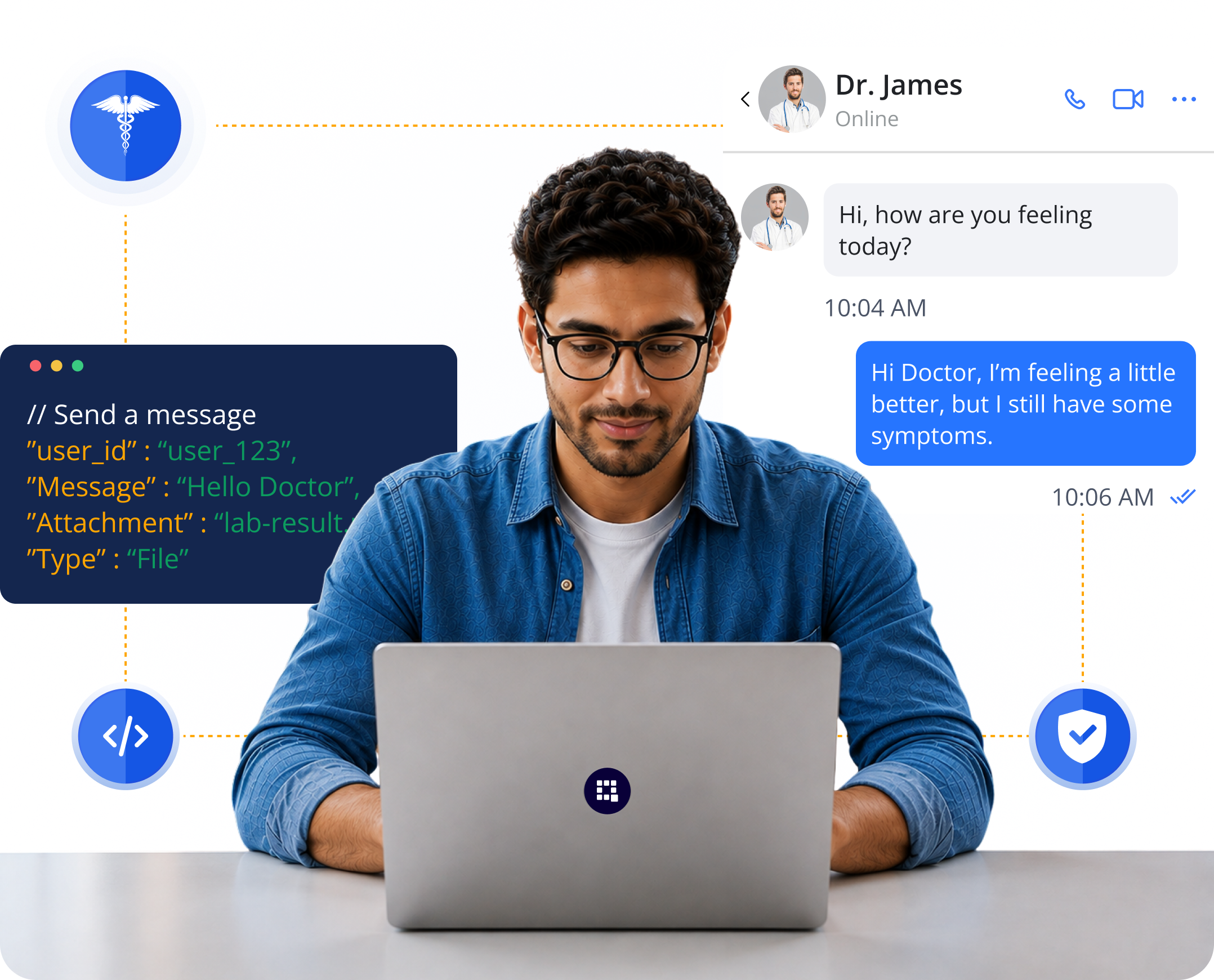
Build secure patient-provider messaging directly into your healthcare app with QuickBlox HIPAA-Compliant Chat APIs and SDKs.

Our HIPAA-ready messaging API provides the secure communication backend developers need for healthcare applications handling PHI.

White label telehealth platform
Secure infrastructure image

HIPAA-ready infrastructure

Secure infrastructure image

BAA available

Secure infrastructure image

SOC 2 Type 2

Secure infrastructure image

Flexible deployment

Secure Healthcare Messaging. Built Into Your App.

Give patients and care teams secure messaging inside the healthcare experience you’ve already built.

Patient - Provider image

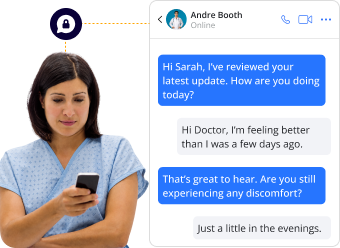
Patient - Provider

Private messaging for questions, updates, follow-ups, and ongoing care.

Care Team image

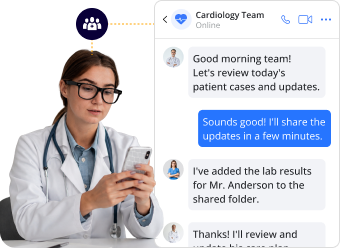
Care Team - Care Team

Group conversations that keep clinicians and healthcare teams connected.

Patient - Care Team image

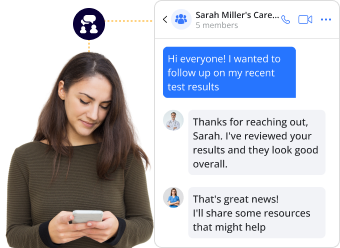
Patient - Care Team

Bring patients and multiple members of their care team into the same conversation.

Everything You Need from a Healthcare Messaging API

1-to-1 Messaging image

1-to-1 Messaging

Private real-time conversations between patients and providers.

Group Chat image

Group Chat

Connect clinicians, patients, and multidisciplinary care teams.

Secure File Sharing image

Secure File Sharing

Share images, documents, and other attachments within chat.

Message History image

Message History

Maintain conversation context across sessions and devices.

Delivery & Read Receipts image

Delivery & Read Receipts

Track when messages are delivered and read.

User Presence image

User Presence

Show availability and online status in real time.

Push Notifications image

Push Notifications

Keep users connected when they aren’t actively using your app.

Cross-Platform Sync image

Cross-Platform Sync

Keep conversations synchronized across devices.

HIPAA Compliance at the Messaging Layer

When healthcare messages contain PHI, the messaging infrastructure needs appropriate safeguards built around how that information is transmitted, stored, and accessed.

Encryption

Protect messages and attachments in transit and at rest.

Encryption image

Access Controls

Control who can access healthcare conversations and patient information.

Access Controls image

Authentication

Support unique user identification and secure access.

Authentication image

Auditability

Maintain appropriate records of access and administrative activity.

Auditability image

Secure Attachments

Apply appropriate safeguards to files and images containing PHI.

Secure Attachments image

BAA Available

A Business Associate Agreement is available for eligible QuickBlox HIPAA deployments.

BAA Available image

Built for Developers

Integrate QuickBlox HIPAA-Compliant Chat API using native SDKs, UI Kits, REST APIs, and developer documentation.

IOS image

IOS

Android image

Android

JavaScript image

JavaScript

React Native image

React Native

Flutter image

Flutter


import SwiftUI
import Quickblox
import QuickBloxUIKit

let APP_ID: UInt = 0 // "your_application_id"
let APP_KEY = "your_auth_key"
let APP_SECRET = "your_auth_secret"
let ACCOUNT_KEY = "your_account_key"

let USER_LOGIN = "your_user_login"
let USER_PASSWORD = "your_user_password"

final class QuickBloxUIKitViewModel: ObservableObject {
    public enum State { case authorized, loading }
    
    @Published var state: State = .loading
    
    init() {
        Quickblox.initWithApplicationId(APP_ID,
                                        authKey: APP_KEY,
                                        authSecret: APP_SECRET,
                                        accountKey: ACCOUNT_KEY)
        Task { try await authorize() }
    }
    
    @MainActor public func authorize() async throws {
        try await QBRequest.login(USER_LOGIN, password: USER_PASSWORD)
        state = .authorized
    }
}

struct QuickBloxUIKitView: View {
    @StateObject var viewModel = QuickBloxUIKitViewModel()
    
    var body: some View {
        switch viewModel.state {
        case .loading: ProgressView()
        case .authorized: QuickBloxUIKit.dialogsView()
        }
    }
}

@main struct Application: App {
    var body: some Scene {
        WindowGroup { QuickBloxUIKitView() }
    }
}


//Init SDK
private const val APPLICATION_ID = "your_application_id"
private const val AUTH_KEY = "your_auth_key"
private const val AUTH_SECRET = "your_auth_secret"
private const val ACCOUNT_KEY = "your_account_key"

class App : Application() {
    override fun onCreate() {
        super.onCreate()

        QBSDK.init(applicationContext, APPLICATION_ID, AUTH_KEY, AUTH_SECRET, ACCOUNT_KEY)
    }
}
//Place in your project where you want to integrate the QuickBlox UI Kit
//Authenticate user and init UI Kit
class MainActivity : AppCompatActivity() {
    override fun onCreate(savedInstanceState: Bundle?) {
        super.onCreate(savedInstanceState)
        setContentView(R.layout.activity_main)

        val user = QBUser()
        user.login = "userlogin"
        user.password = "userpassword"

        QBUsers.signIn(user).performAsync(object : QBEntityCallback {
            override fun onSuccess(user: QBUser?, bundle: Bundle?) {
                // init Quickblox UIKit
                QuickBloxUiKit.init(applicationContext)
                // show Dialogs screen
                DialogsActivity.show(this@MainActivity)
            }

            override fun onError(exception: QBResponseException?) {
                // handle exception
            }
        })
    }
}
         

import React, { useEffect } from 'react';

// @ts-ignore
import * as QB from "quickblox/quickblox";
import {
  QuickBloxUIKitProvider,
  qbDataContext,
  QuickBloxUIKitDesktopLayout, LoginData, AuthorizationData, QBDataContextType,
} from 'quickblox-react-ui-kit';
import { QBConfig } from './QBconfig';
import './App.css';

function App() {

  const currentUser: LoginData = {
    login: '',
    password: '',
  };

  const qbUIKitContext: QBDataContextType = React.useContext(qbDataContext);

  const [isUserAuthorized, setUserAuthorized] = React.useState(false);
  const [isSDKInitialized, setSDKInitialized] = React.useState(false);

  const prepareSDK = async (): Promise => {
    // check if we have installed SDK
    if ((window as any).QB === undefined) {
      if (QB !== undefined) {
        (window as any).QB = QB;
      } else {
        let QBLib = require('quickblox/quickblox.min');
        (window as any).QB = QBLib;
      }
    }

    const APPLICATION_ID = QBConfig.credentials.appId;
    const AUTH_KEY = QBConfig.credentials.authKey;
    const AUTH_SECRET = QBConfig.credentials.authSecret;
    const ACCOUNT_KEY = QBConfig.credentials.accountKey;
    const CONFIG = QBConfig.appConfig;

    QB.init(APPLICATION_ID, AUTH_KEY, AUTH_SECRET, ACCOUNT_KEY, CONFIG);

  };

  useEffect(() => {
    if (!isSDKInitialized) {
      prepareSDK().then(result => {

        QB.createSession(currentUser, async function (errorCreateSession: any, session: any) {
          if (errorCreateSession) {
            console.log('Create User Session has error:', JSON.stringify(errorCreateSession));
          } else {
            const userId: number = session.user_id;
            const password: string = session.token;
            const paramsConnect = { userId, password };

            QB.chat.connect(paramsConnect, async function (errorConnect: any, resultConnect: any) {
              if (errorConnect) {
                console.log('Can not connect to chat server: ', errorConnect);
              } else {
                const authData: AuthorizationData = {
                  userId: userId,
                  password: password,
                  userName: currentUser.login,
                  sessionToken: session.token
                };

                await qbUIKitContext.authorize(authData);
                setSDKInitialized(true);
                setUserAuthorized(true);
              }
            });
          }
        });
      }).catch(
          e => {
            console.log('init SDK has error: ', e)
          });
    }
  }, []);

  return (
    <div>
      <QuickBloxUIKitProvider
        maxFileSize={100 * 1000000}
        accountData={{ ...QBConfig.credentials }}
        qbConfig={{ ...QBConfig }}
        loginData={{
          login: currentUser.login,
          password: currentUser.password,
        }}
      >
        <div className="App">
          {
            // React states indicating the ability to render UI
            isSDKInitialized && isUserAuthorized
              ?
              <QuickBloxUIKitDesktopLayout />
              :
              <div>wait while SDK is initializing...</div>
          }
        </div>
      </QuickBloxUIKitProvider>
    </div>
  );
export default App;
         

Your App. Your Data. Your Deployment.

Choose an infrastructure model that fits your organization’s security, compliance, and data-control requirements.

HIPAA Cloud image

HIPAA Cloud

Deploy QuickBlox communication services in a HIPAA-ready cloud environment.

Private Cloud image

Private Cloud

Use dedicated infrastructure for greater control over your environment.

On-Premises image

On-Premises

Deploy QuickBlox communication infrastructure within your own environment where required.

Explore HIPAA-Compliant Hosting
Enterprise image

Built for more than patient chat.

Telehealth Apps

Add persistent messaging before, during, and after virtual care.

Telehealth Apps

Patient Portals

Give patients a secure channel for communicating with providers.

Patient Portals

Digital Health Apps

Embed healthcare messaging directly into mobile and web products.

Digital Health Apps
Care Coordination

Care Coordination

Connect clinicians and multidisciplinary care teams.

Mental & Behavioral Health

Mental & Behavioral Health

Support secure communication between appointments.

Remote & Chronic Care

Remote & Chronic Care

Keep patients connected with their care teams over time.

Looking for the broader picture? Explore QuickBlox healthcare communication solutions.

Add video to your healthcare experience

Need real-time consultations as well as persistent messaging?

Combine QuickBlox Chat with voice and video calling APIs and SDKs to create a connected healthcare communication experience.

Chat ico

Chat

File Sharing ico

File Sharing

Voice ico

Voice

Voice & Video Calling

Video

Explore Video Calling APIs & SDKs

Build More with QuickBlox Healthcare

Need more than messaging? Explore other ways to build with QuickBlox.

White-Label Telehealth ico

White-Label Telehealth

Launch a complete virtual care experience.

Q-Consultation combines secure video and chat with patient intake, waiting rooms, scheduling, clinical workflows, and more in a customizable white-label platform.

Explore Q-Consultation →
AI Agent for Healthcare ico

AI Agent for Healthcare

Automate patient conversations and workflows.

Add AI-powered patient intake, knowledge assistance, workflow automation, and human handover to healthcare experiences.

Explore AI Agent for Healthcare →

Build Secure Healthcare Messaging Into
Your App

Spend your development time building the healthcare experience—not rebuilding the communication infrastructure underneath it.

Start building with QuickBlox or talk to our team about your HIPAA, BAA, architecture, and deployment requirements.

QuickBlox HIPAA Chat API FAQs

Is the QuickBlox Chat API HIPAA compliant?

QuickBlox Chat APIs and SDKs can be deployed in a HIPAA-ready environment for healthcare applications handling PHI. A Business Associate Agreement is available for eligible HIPAA deployments.

Does QuickBlox offer a Business Associate Agreement (BAA) for its Chat API?

Yes. A BAA is available for eligible QuickBlox HIPAA deployments. Contact our team to discuss your requirements, deployment model, and BAA coverage.

Which SDKs and platforms does QuickBlox Chat support?

QuickBlox provides Chat SDKs for iOS, Android, JavaScript, React Native, and Flutter, giving developers options for building secure messaging into native, web, and cross-platform healthcare applications. Explore QuickBlox Chat SDKs

How does QuickBlox protect PHI in chat?

QuickBlox provides security controls designed to protect healthcare communications, including encryption, authentication, access controls, and appropriate logging within HIPAA-ready deployments.

Does the QuickBlox HIPAA Messaging API support secure file sharing?

QuickBlox supports file attachments within chat, including images and documents. Healthcare applications handling PHI should use an appropriately configured HIPAA deployment so applicable safeguards extend to messaging content and attachments.

Can QuickBlox Chat be deployed in a private cloud or on-premises?

Yes. QuickBlox supports flexible deployment options, including private/dedicated environments and on-premises deployment for organizations requiring greater control over infrastructure and data.

Can I combine QuickBlox Chat with video calling?

Yes. QuickBlox provides Chat and Video Calling APIs and SDKs, allowing developers to combine persistent messaging with real-time voice and video communication within a healthcare application.

How do I integrate the QuickBlox Healthcare Chat API into my application?

QuickBlox provides APIs, SDKs, UI Kits, documentation, and code samples to help developers integrate messaging into web and mobile healthcare applications.

How do I get started with the QuickBlox HIPAA Chat API?

Explore the QuickBlox developer documentation to start building, or contact our team to discuss your healthcare use case, HIPAA requirements, BAA, infrastructure, and deployment options.